Case Study
Front Door WAF SOAR Automation
A timer-triggered .NET Function App that queries Log Analytics for abusive Front Door client IPs and keeps Azure WAF BlockedIPs custom rules in sync — managed identity only, no secrets in code.
The Challenge
Bots Probe Faster Than Manual Blocks
Front Door WAF logs show the same abusive IPs hammering endpoints for hours. Manual blocklist updates cannot keep up — and attackers only need one successful attempt.
Earlier approaches mixed more moving parts than necessary. We needed a simpler, stable loop: read abusive IPs from Log Analytics, compare them to the live WAF policy, and update a dedicated custom rule only when the set actually changes.
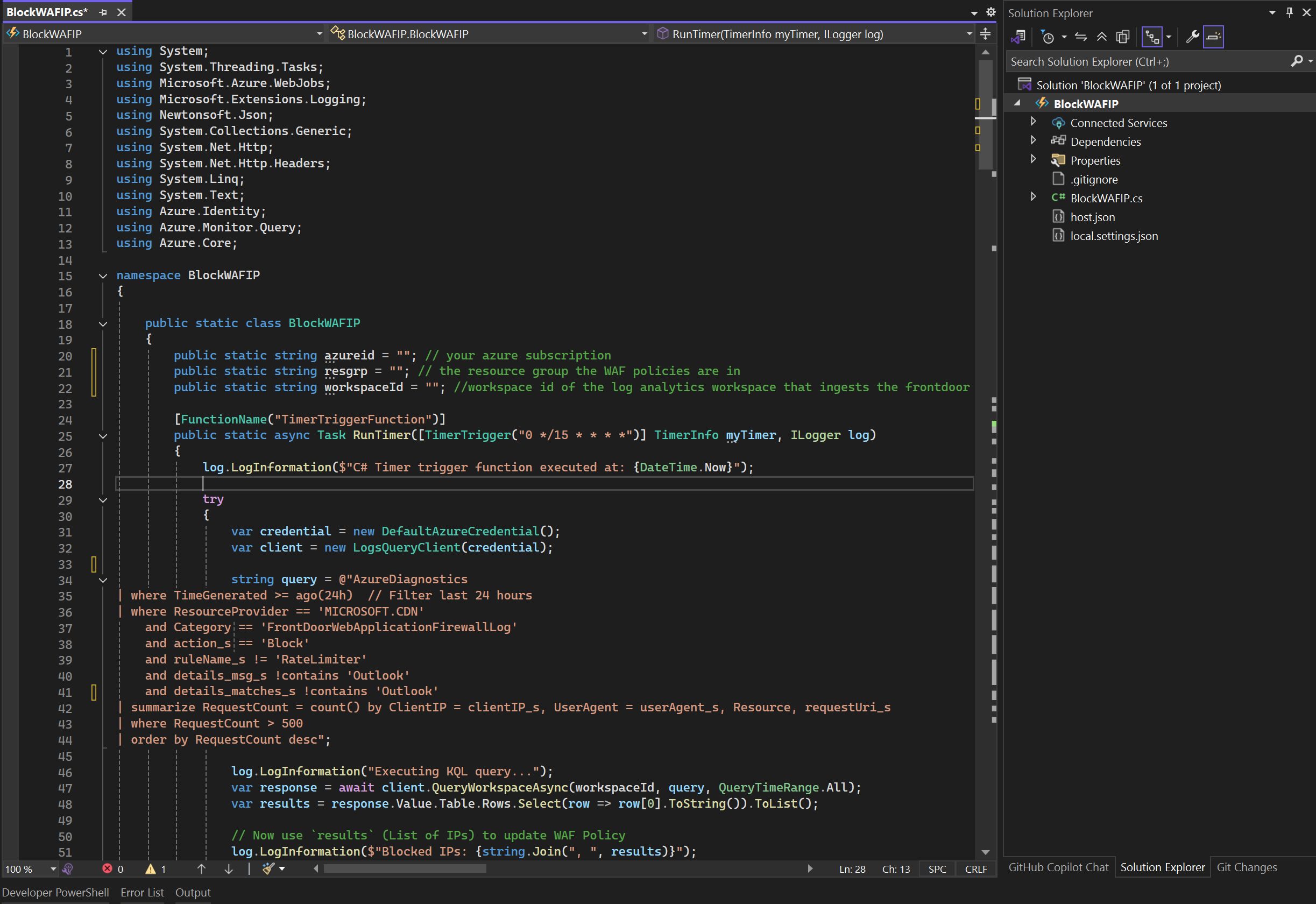
The threshold we used: more than 500 blocked requests from an IP in 24 hours (excluding rate-limiter and known Outlook noise). Once those IPs are on the WAF block list, even a later successful exploit path is denied at the edge.
The Solution
Function App + Managed Identity + WAF Policy
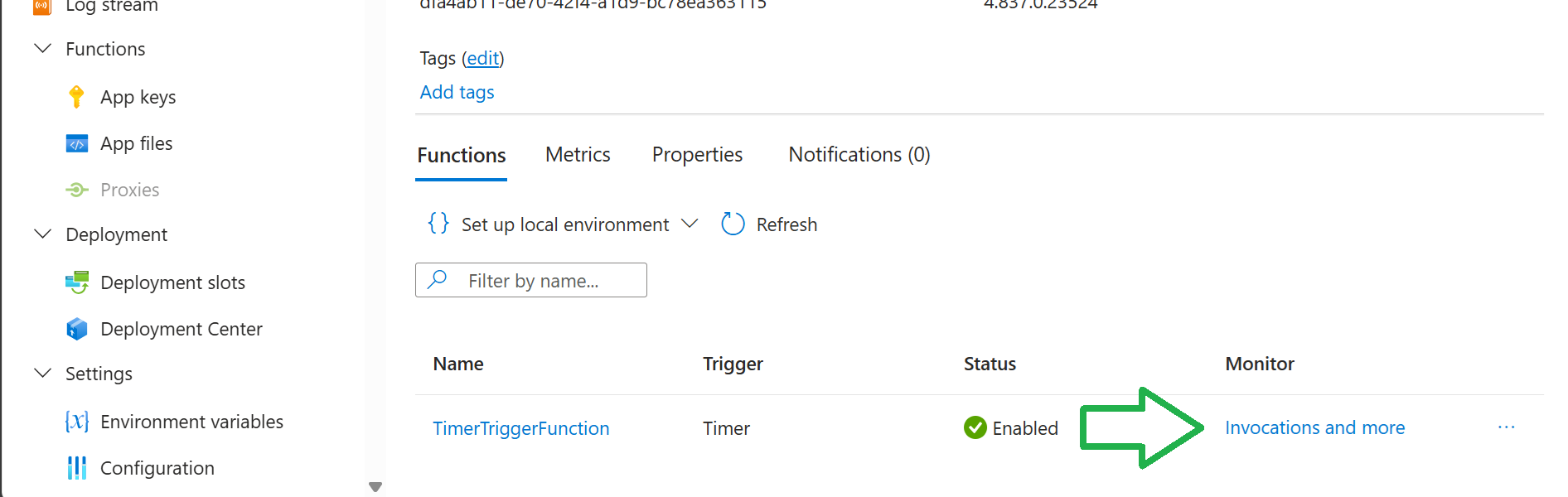
A .NET 8 in-process timer Function queries Log Analytics every 15 minutes, then PATCHes Front Door WAF policies through the Azure Resource Manager API.
Runtime loop
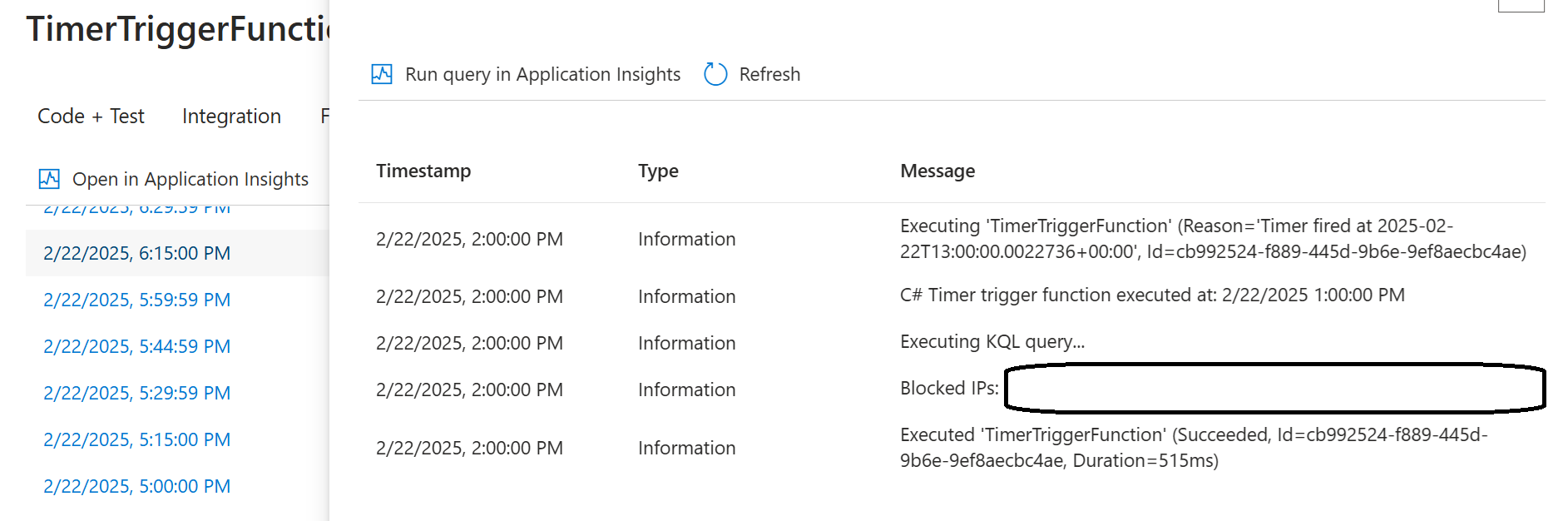
- Timer trigger every 15 minutes
- KQL against Front Door WAF diagnostics in Log Analytics
- Collect client IPs above the abuse threshold
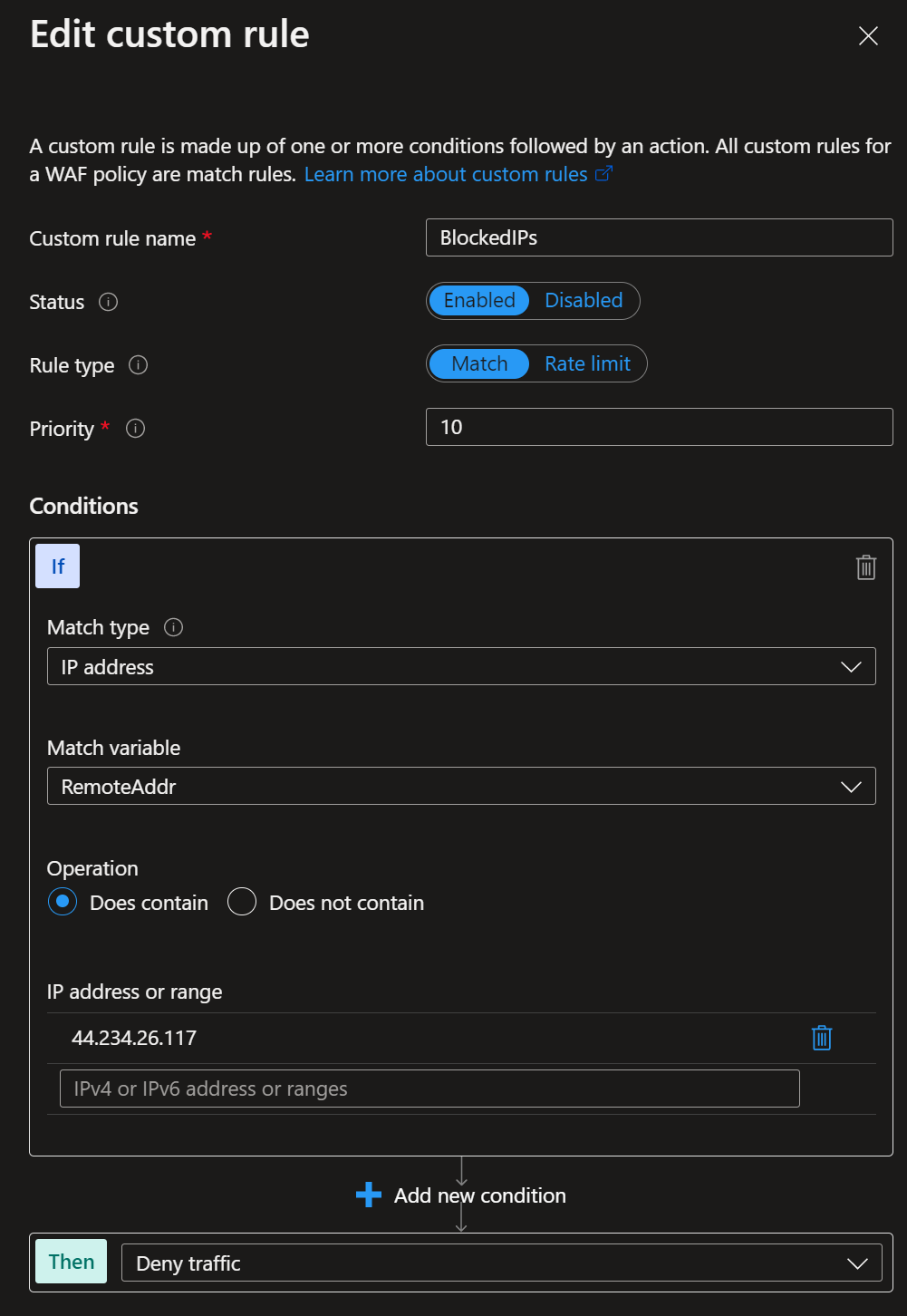
- Export each WAF policy, update the
BlockedIPscustom rule match values - Skip the PUT when the IP set is unchanged
Identity & access
- System-assigned managed identity on the Function App
- Log Analytics Reader on the workspace
- Contributor on the WAF policies (ARM update)
DefaultAzureCredentiallocally and in Azure — no stored secrets- Dev/prod policy names selected from the Function App site name
Implementation
From Local Debug to Azure Timer
Developed as a Visual Studio .NET 8 Function project, tested with the developer’s Azure credentials, then published to the Function App that authenticates with its system-assigned identity.
Outcome
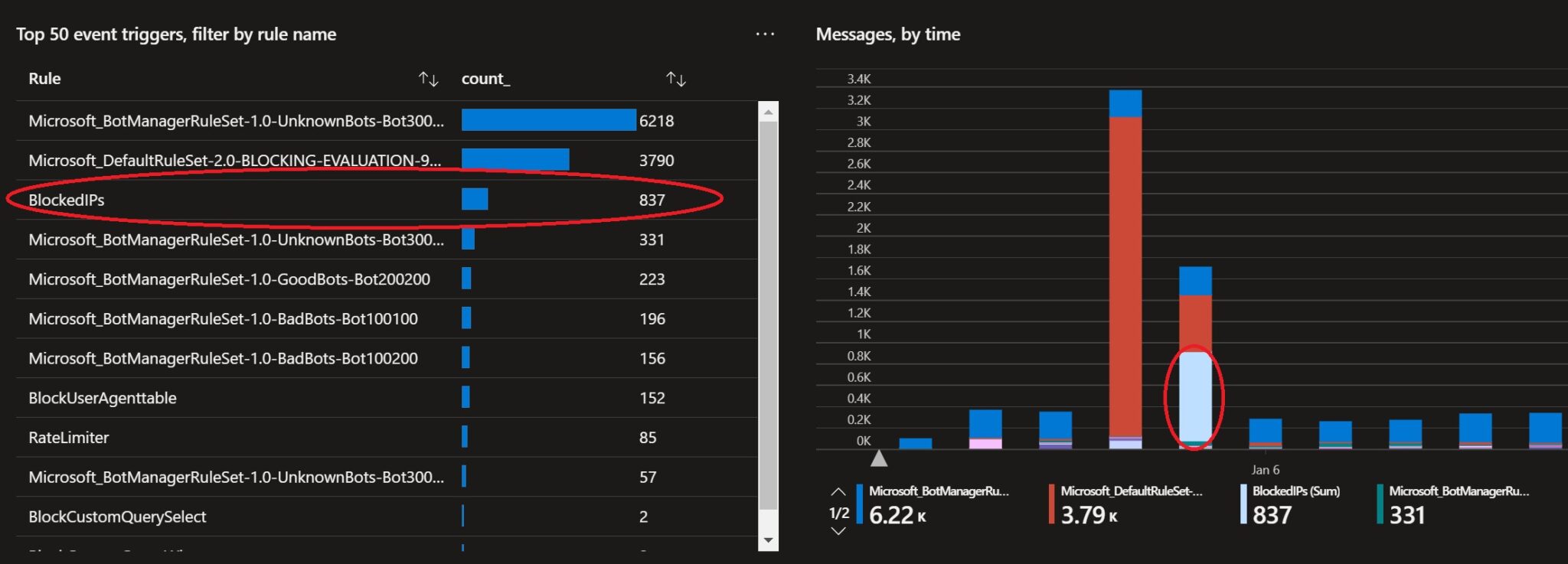
BlockedIPs Shows Up in the Noise
Once the automation is live, the custom rule appears alongside managed rule sets in Front Door analytics — proof that previously noisy IPs are now denied at the edge.
Technology
What We Used
Platform & security
Application
The Result
Abuse Cap at the Edge
Threat actors get a hard ceiling on probe volume. After the threshold, their IP is denied by WAF — even if they later find a request that would have succeeded.
Similar Challenge?
Close the Loop on Edge Abuse
If Front Door or Application Gateway WAF logs show the same IPs probing for hours, we can wire Log Analytics detections into automated blocklist updates — with managed identities, clear thresholds, and portal-visible evidence.